In the chilling universe of R.E.P.O., mastering the use of items is crucial for survival and progression. Among these, Recharge Drones stand out as vital tools for success, helping you avoid the dreaded Disposal Arena. Here's a detailed guide on how to acquire and utilize these essential devices.
What Recharge Drones Do
In R.E.P.O., certain items like Mines and Grenades are one-time use, while others, such as weapons and drones, have a rechargeable "battery life" restored with Energy Crystals. When you start playing, you'll notice a container in your truck designed to recharge these items, though it requires an Energy Crystal for each recharge.

Purchased Energy Crystals are automatically installed into the container, eliminating the need to manually handle them post-purchase. To recharge an item, simply place it in the yellow bucket next to the container, and it will regain its health. This feature is invaluable for maintaining your gear's effectiveness against the game's relentless challenges.
However, the intensity of some levels can cause your items to wear down quickly. While you can recharge them at designated spots with Energy Crystals, you won't always be near your truck. This is where the Recharge Drone becomes indispensable, allowing you to manage your items' energy on the move.
How to Get and Use the Recharge Drone in R.E.P.O.
The Recharge Drone, like other items and upgrades, is available at the Service Station, which you reach after successfully completing a level. This station is your go-to place for equipping yourself for the next challenge, provided you have the funds.
Items at the Service Station, including the Recharge Drone, appear randomly, so it might take several visits before it becomes available. Once it does, you can purchase it for between $4-5K. This compact device occupies one inventory slot, which you can assign to slots 1, 2, or 3.
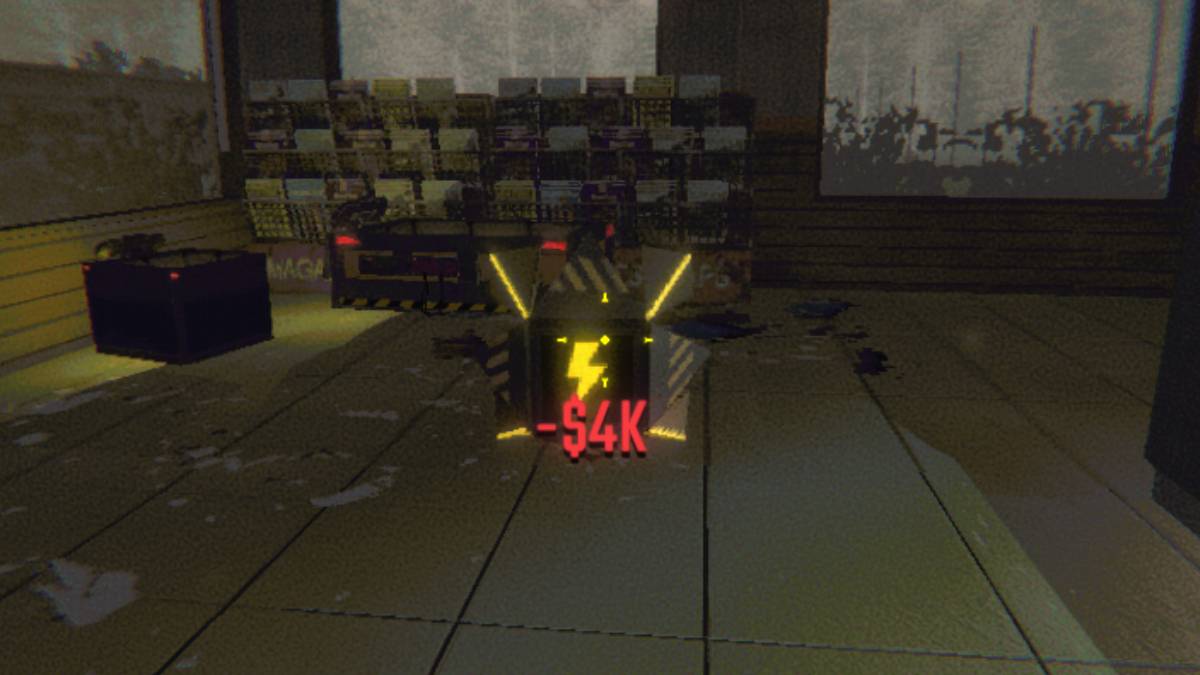
You'll notice your item's battery life through a bar underneath it. To recharge, select the Recharge Drone, activate it with the 'E' key, and attach the depleted item. Let the drone work its magic! When the drone's battery runs out, you can recharge it back at the truck using Energy Crystals in the container.
Now that you're equipped with the knowledge of acquiring and using the Recharge Drone in R.E.P.O., you're better prepared to navigate its terrifying landscapes and emerge victorious.





![Amy’s Ecstasy [v0.45 Final]](https://imgs.daqiang.cc/uploads/07/1719551527667e462789d0f.jpg)