Anime games often face criticism, but there are several gems that deserve a spot in any gaming collection. The latest addition, *Bleach: Rebirth of Souls*, has encountered some launch issues, particularly with crashing on PC. Here's a comprehensive guide on how to address *Bleach: Rebirth of Souls* crashing on PC.
How to Tackle Bleach: Rebirth of Souls Crashing on PC
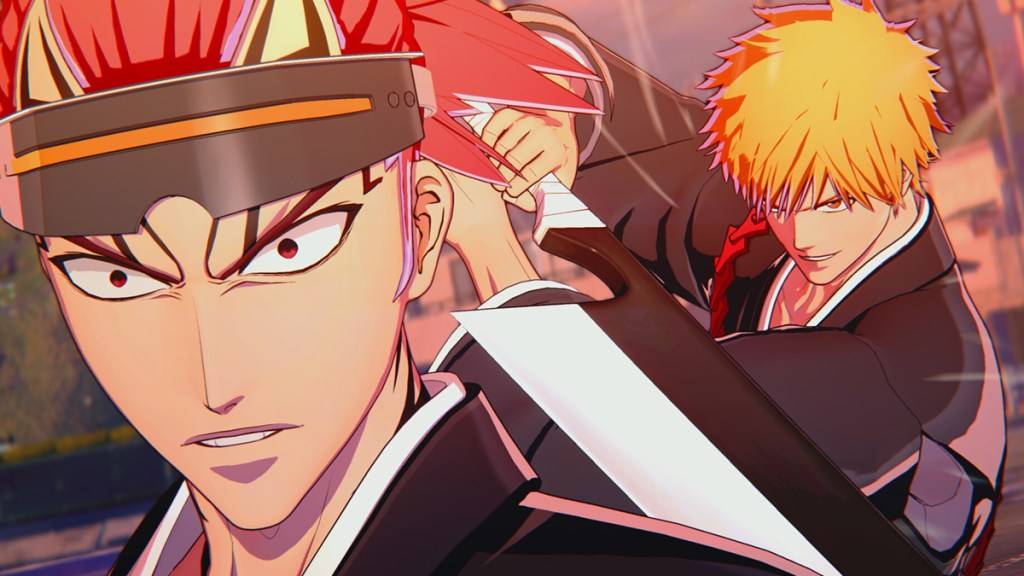 In addition to the no sound bug, which results in no audio in the game, some *Bleach* fans are struggling to progress past the tutorial due to frequent crashes. Even those who reach the story mode or attempt online play find *Bleach: Rebirth of Souls* difficult to load, with some labeling it "unplayable." However, there's hope on the horizon as the developers are actively working on a fix.
Ryan Wagner, Brand Manager for Bandai Namco, has confirmed that the team is aware of the crashing issue and is "looking into it." While specific details and a timeline for the solution remain undisclosed, here are some immediate steps you can take to potentially resolve *Bleach: Rebirth of Souls* crashing on PC.
Restart the Game
Although not a surefire solution, restarting the game can sometimes provide the necessary reset. You can attempt this multiple times without significant time loss. If the issue persists, consider more advanced troubleshooting methods.
Restart the PC
Occasionally, a PC restart can resolve game-related issues. Take a break, power down your system, and perhaps catch up on some *Bleach* anime episodes, including the often-overlooked filler episodes, while your PC reboots.
Run the Game as Administrator
While some *Bleach: Rebirth of Souls* players on Steam have reported that this method doesn't work for them, it's still worth a try. Follow these steps:
- Right-click on the *Bleach: Rebirth of Souls* shortcut.
- Select Properties and navigate to the Compatibility tab.
- Check the box for "Run this program as an administrator."
Delete and Reinstall the Game
If all else fails and you can't wait for an official patch, consider deleting and reinstalling *Bleach: Rebirth of Souls*. Although it's a large game, reinstalling might temporarily resolve the crashing issue, allowing you to at least complete the tutorial.
These are the steps to fix *Bleach: Rebirth of Souls* crashing on PC. For more on the *Bleach* series, check out all the arcs in order.
*Bleach: Rebirth of Souls* is currently available on PlayStation, Xbox, and PC.






![Amy’s Ecstasy [v0.45 Final]](https://imgs.daqiang.cc/uploads/07/1719551527667e462789d0f.jpg)