Balatro: Unleash the Power of Cheats and the Debug Menu
Balatro, the 2024 Game Awards sensation, captivated players worldwide with its innovative gameplay and endless replayability. Millions of copies sold and numerous awards later, its popularity endures. However, even seasoned players might seek new ways to spice up their experience. While mods offer one solution, accessing Balatro's built-in developer debug menu provides an alternative, allowing for cheat activation without impacting achievements.
Quick Links
Enabling Cheats in Balatro
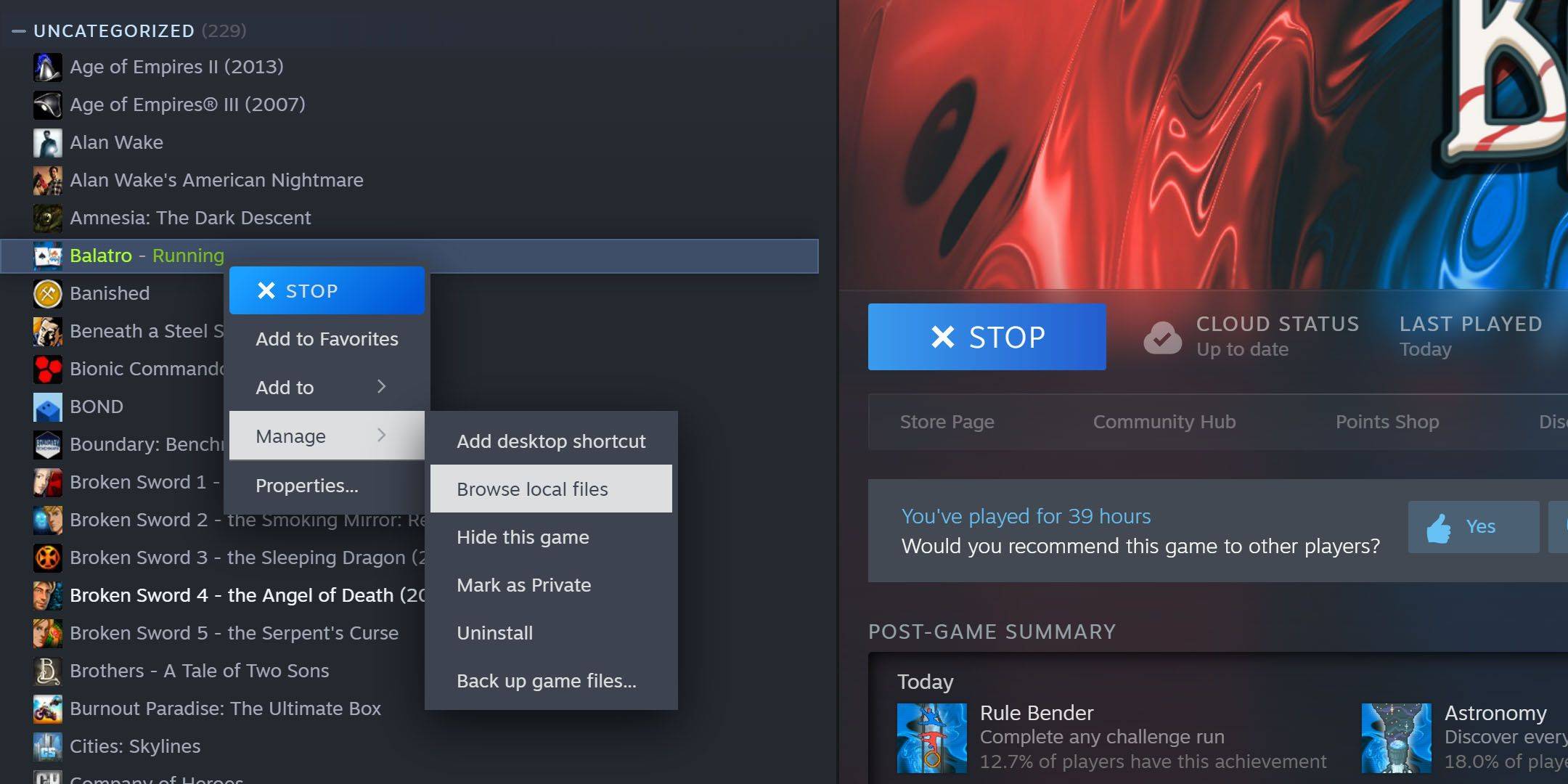 To unlock Balatro's hidden cheat menu, you'll need 7-Zip, a free, open-source archiving tool. Locate your Balatro installation directory (typically C:\Program Files (x86)\Steam\steamapps\common\Balatro). If you can't find it, navigate to your Steam library, right-click Balatro, select "Manage," then "Browse Local Files."
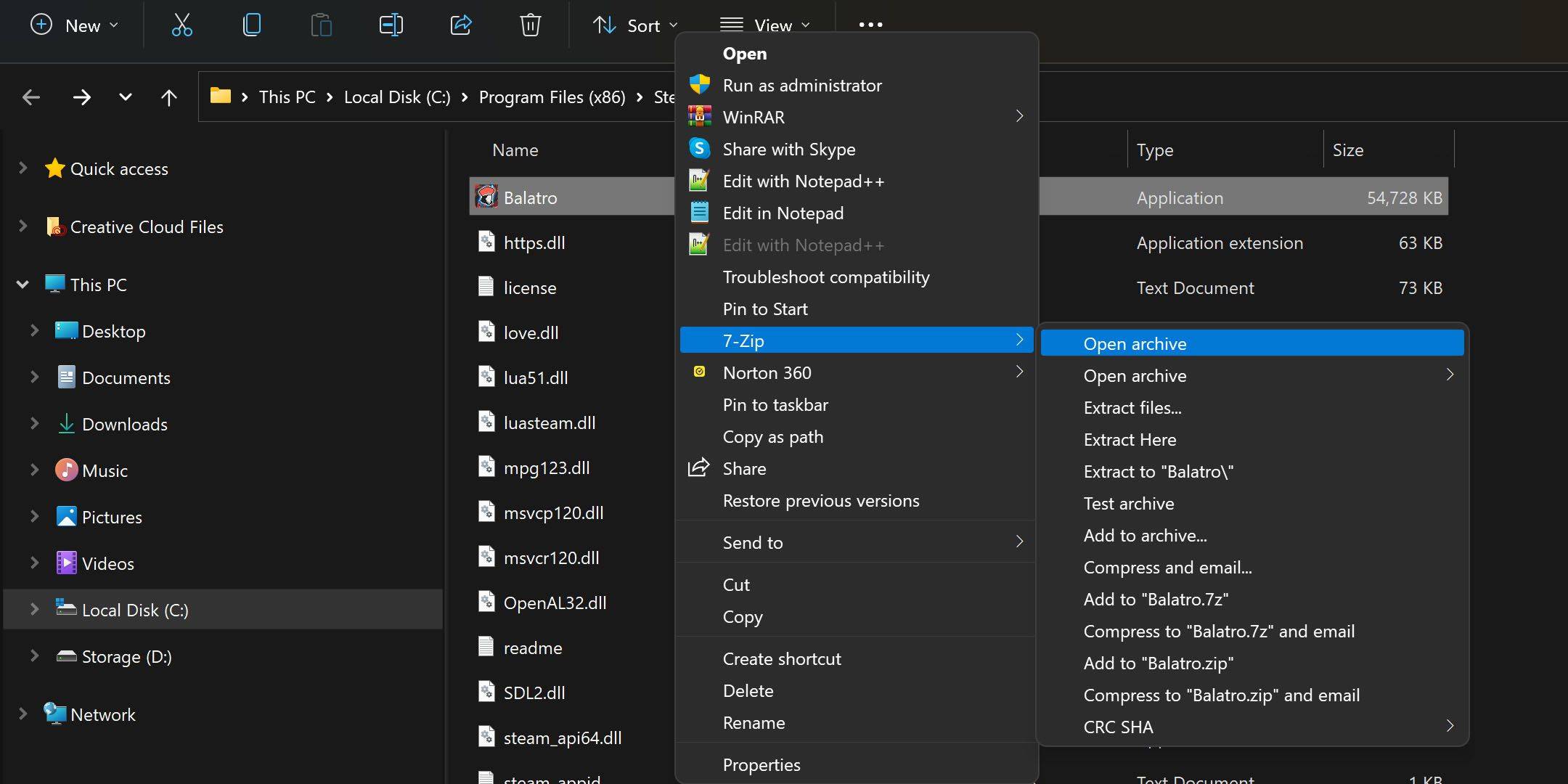 Right-click Balatro.exe and open the archive using 7-Zip (you may need to select "Show More Options" depending on your OS and 7-Zip settings). Inside, find and open
 conf.lua with a text editor (like Notepad).
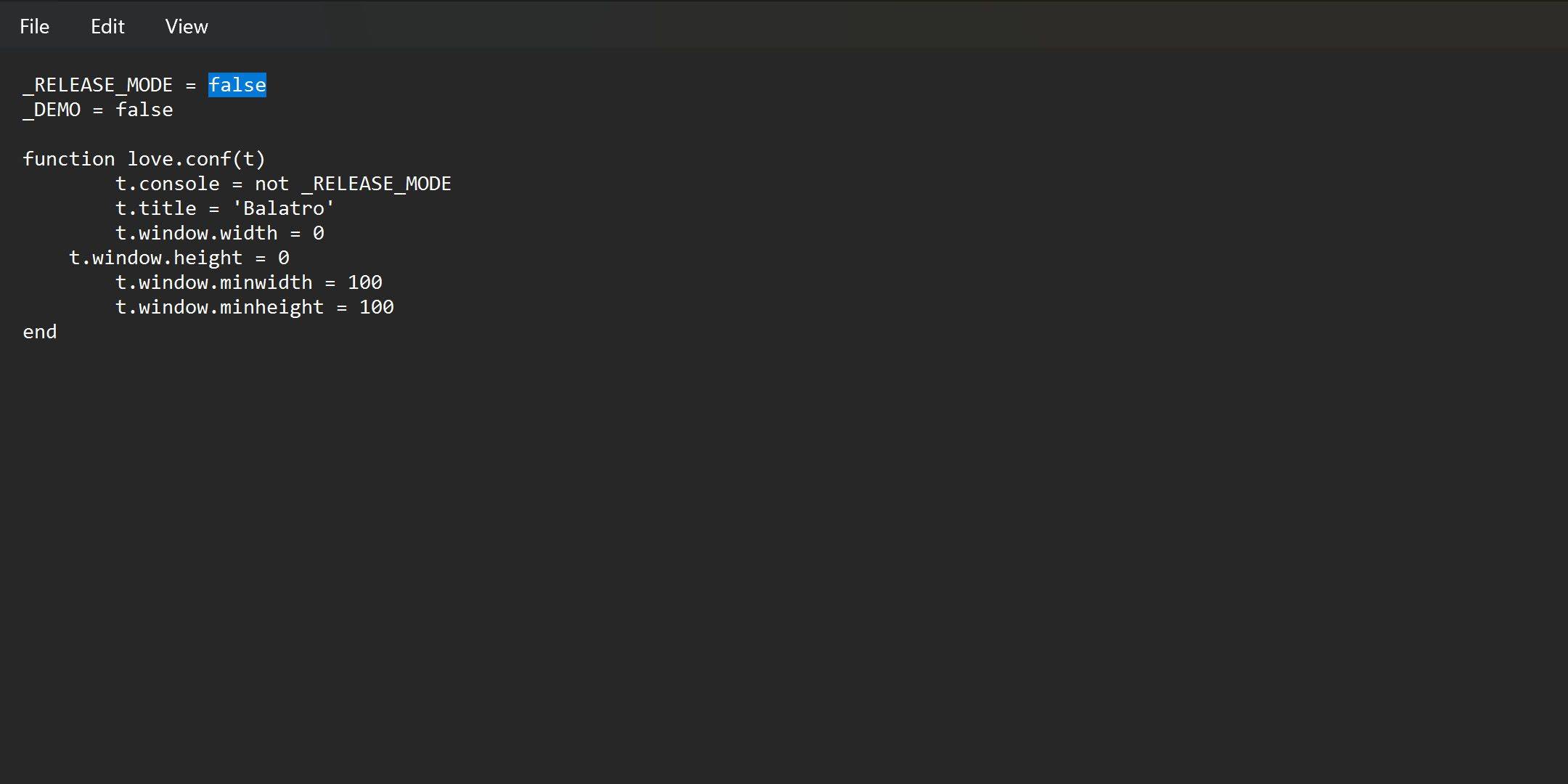 Modify the line
 _RELEASE_MODE = true to _RELEASE_MODE = false, then save the file. If saving fails, extract conf.lua to your desktop, make the change, and replace the original file. With this done, press and hold the Tab key in-game to access the debug menu. To disable cheats, simply revert the _RELEASE_MODE parameter to true.
Utilizing the Debug Menu
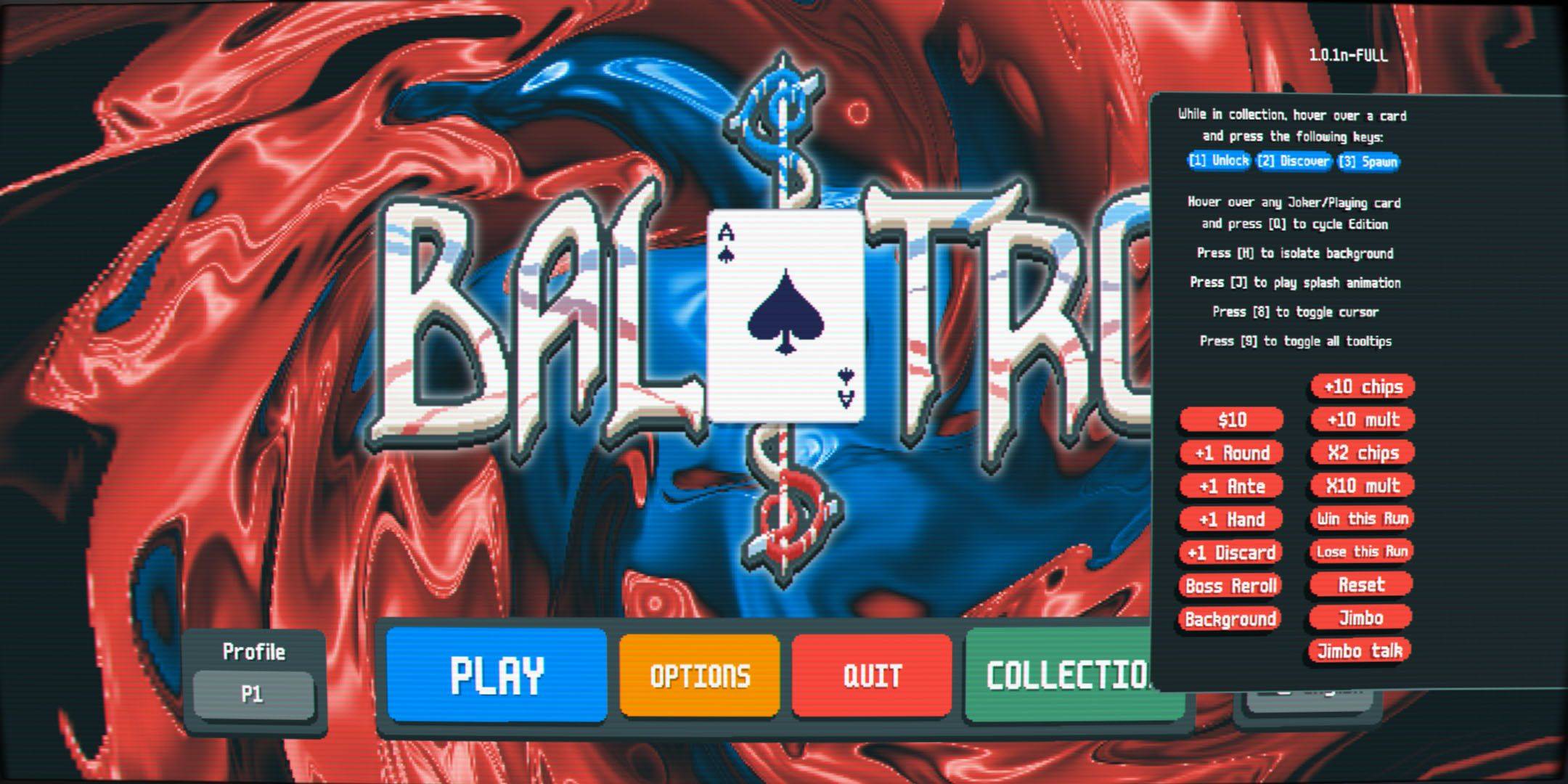 Balatro's cheat menu is intuitive. Unlock items by hovering over them in your collection and pressing '1'. Spawn jokers by hovering and pressing '3'. Initially limited to five jokers, you can transform a joker into a negative using 'Q' (four presses) to effectively increase your joker count.